
Building an MVP in 8 weeks is achievable when scope is defined before the first line of code is written, decisions are made fast during the sprint, and the team architecture matches the work. It is not achievable when scope is open-ended, stakeholder approvals take three days, or the product brief changes between weeks two and five. The difference between an 8-week sprint that ships and one that drifts into month five is almost always scope discipline and decision velocity, not technical complexity.
This is how Adeocode runs MVP sprints for non-technical founders: what happens each week, who does what, what you will be asked to decide, and what you can realistically expect to have in production at the end of week eight. If you are evaluating development partners or just trying to understand what a credible MVP build process looks like before starting a conversation, this breakdown will give you the framework to make that assessment.

A dedicated development team is a group of engineers, QA testers, designers, and a project manager assembled specifically for your product and working on it full-time, under your strategic direction, through a vendor who handles HR, payroll, and operational infrastructure. The team is not shared across client projects. The same people work on your product continuously, accumulating context and ownership that compounds in value over time.
This model is the default choice for founders and product companies that need long-term, evolving product development without the cost and complexity of building an international engineering team from scratch. It sits between staff augmentation (individual contractors you manage directly) and fixed-price outsourcing (a vendor who builds to specification and hands off). Understanding exactly how it works, who is on the team, what it costs, and when it fits is what this guide covers in full.

Staff augmentation adds individual external developers to your existing team under your direct management. A dedicated development team is a self-contained product unit that works exclusively on your product under its own internal leadership, managed by a vendor. The right model depends on three variables: how long the work lasts, whether you have strong in-house technical leadership with capacity to absorb more direct reports, and whether your scope is defined or evolving.
Both models are legitimate outsourcing approaches. They are not better or worse than each other; they serve different situations. The most expensive mistake in external development is applying staff augmentation to a situation that needs a dedicated team, because the management overhead that accumulates destroys the cost advantage that made staff augmentation look attractive in the first place.

An offshore dedicated development team is a group of full-time software engineers, QA testers, designers, and a project manager based in another country who work exclusively on your product through a vendor that handles HR, payroll, and infrastructure. Unlike freelancers who split time across clients or agencies that rotate developers between projects, a dedicated offshore team owns your product continuously, from the first sprint to the hundredth.
This guide covers every dimension of the model: how it works, how it compares to nearshore and onshore options, what the best offshore locations actually cost in 2026, the difference between an offshore dedicated team and an offshore development center, and the five-step process for hiring one that performs.

To hire a dedicated remote development team, define your product scope and required disciplines, choose a hiring region that balances cost and quality for your budget, vet vendors on process documentation rather than pitch decks, run a short paid discovery sprint to test team fit, then formalize the engagement with clear IP terms and delivery milestones. That five-step process is what separates companies that build great remote teams from those that repeat the same expensive hiring mistakes.
This guide covers everything you need: the model explained, how it compares to freelancers and agencies, current costs by region, a step-by-step hiring process, management practices that keep remote teams productive, and the red flags that reveal a vendor's weaknesses before you sign a contract.

Hire a dedicated development team when your product roadmap extends longer than six months, your scope is still evolving, and you need a full cross-functional team working exclusively on your product. Those three signals, individually or together, mean a dedicated team will almost always outperform freelancers, fixed-price contracts, or trying to build in-house from scratch. The harder question is not whether to hire one but when, and equally important, when not to.
This guide walks through every scenario, the cost reality, the decision matrix, and the five-step hiring process so you can make the call with confidence.

An MVP should include 3 to 5 features that together enable one complete user journey from signup to first value, and nothing else. That is the entire decision rule. Every feature that does not contribute to that single journey belongs in the version-two backlog, not the launch build. The founders who miss their MVP timelines are almost never under-building; they are over-building, treating the MVP as a first draft of the full product rather than as a validation instrument for a single hypothesis.
This guide covers which features every MVP needs regardless of product type, how to build a specific feature list for your product category, the three prioritization frameworks worth using, five tests to apply before any feature makes the cut, and the eight features that consistently appear in MVP scopes when they should not.
The feature inclusion test (use this before every scoping decision) Ask one question about each proposed feature: "Can a user complete the core journey and experience the product's primary value without this feature?" If the answer is yes, the feature does not belong in the MVP. Apply this test before using any prioritization framework. It is faster and more honest than any scoring system. |

The right MVP development agency compresses a 12-month idea-to-launch journey into 8 to 14 weeks and costs $30,000 to $150,000 depending on complexity and region. The wrong one takes the same money and the same time, then delivers something you cannot launch, do not own outright, or cannot maintain without them. The difference between those two outcomes is almost never technical skill. It is process, incentives, and the questions you ask before signing. This guide covers how to evaluate every type of development partner, the 12 questions that separate disciplined agencies from opportunistic ones, and the eight red flags that should end a conversation before it goes further.
Before evaluating agencies, make sure you have a clear answer to what your MVP needs to prove. The complete guide to what an MVP is covers the six types of MVP and what each one is designed to validate, because a landing-page MVP and a full-stack SaaS MVP require completely different types of partners.
Who this guide is for Non-technical founders evaluating development partners for the first time. Technical founders who want a structured framework to vet agencies against their own judgment. Anyone who has been burned by a previous agency relationship and wants to know what questions they should have asked. |

An MVP is successful when it generates reliable evidence that real users experience measurable value from the core feature set -- not when it gets downloads, press mentions, or five-star ratings. The metrics that actually tell you whether your MVP worked are retention at day 7 and day 30, activation rate from your first cohort, and the Sean Ellis test score: the percentage of users who say they would be "very disappointed" if the product disappeared. This guide covers every MVP success metric worth tracking, with industry benchmarks, warning thresholds, and the specific actions to take when a metric is telling you something is wrong.
The 5 metric categories every MVP should track Acquisition: how users find you Activation: how many reach the "aha moment" Retention: how many return Revenue: whether users pay and stay Referral: whether users recommend you (NPS, Sean Ellis score) |

Most MVPs take 8 to 16 weeks from validated concept to public launch, though simple single-workflow tools can ship in 4 to 8 weeks and complex regulated products often require 5 to 10 months. The gap between the best-case timeline you read in agency brochures and the real-world timeline you live through comes down to a small set of predictable, avoidable mistakes. The type of MVP you choose to build -- landing page, concierge, single-feature software, or full-stack platform -- is also one of the biggest timeline variables: our complete guide to MVP types and definitions walks through each option with realistic build estimates. This guide then breaks down the timeline phase by phase, product type by product type, and gives you the sprint-by-sprint plan used by teams that actually hit their launch dates.
Quick Reference: MVP Timeline by Complexity Simple MVP (1-2 features): 4-8 weeks Standard MVP (3-5 features): 8-14 weeks Complex MVP (6-10 features): 12-20 weeks Enterprise MVP: 5-10 months |

Choosing the wrong tech stack at the MVP stage is one of the most expensive mistakes a startup can make. Not because the wrong choice crashes the product on day one, but because it quietly accumulates technical debt that compounds into a full rebuild six months after launch, exactly when you are trying to raise a seed round and scale the team.
If you're evaluating your build options, working with a custom software development partner can help you avoid expensive technical mistakes early on.
This guide cuts through the noise. It gives you the default recommended stack for each type of MVP product, a technology-by-technology comparison across every layer (frontend, backend, database, auth, payments, hosting, and observability), real cost numbers at each user scale, the five stack mistakes that force the most expensive rewrites, and a decision framework for choosing between build options when your product type changes the calculus.
No generic advice. No technology recommendations that sound impressive but have three developers available to hire. Just the stack decisions that help non-technical founders move from idea to live product in the shortest time with the lowest future regret.
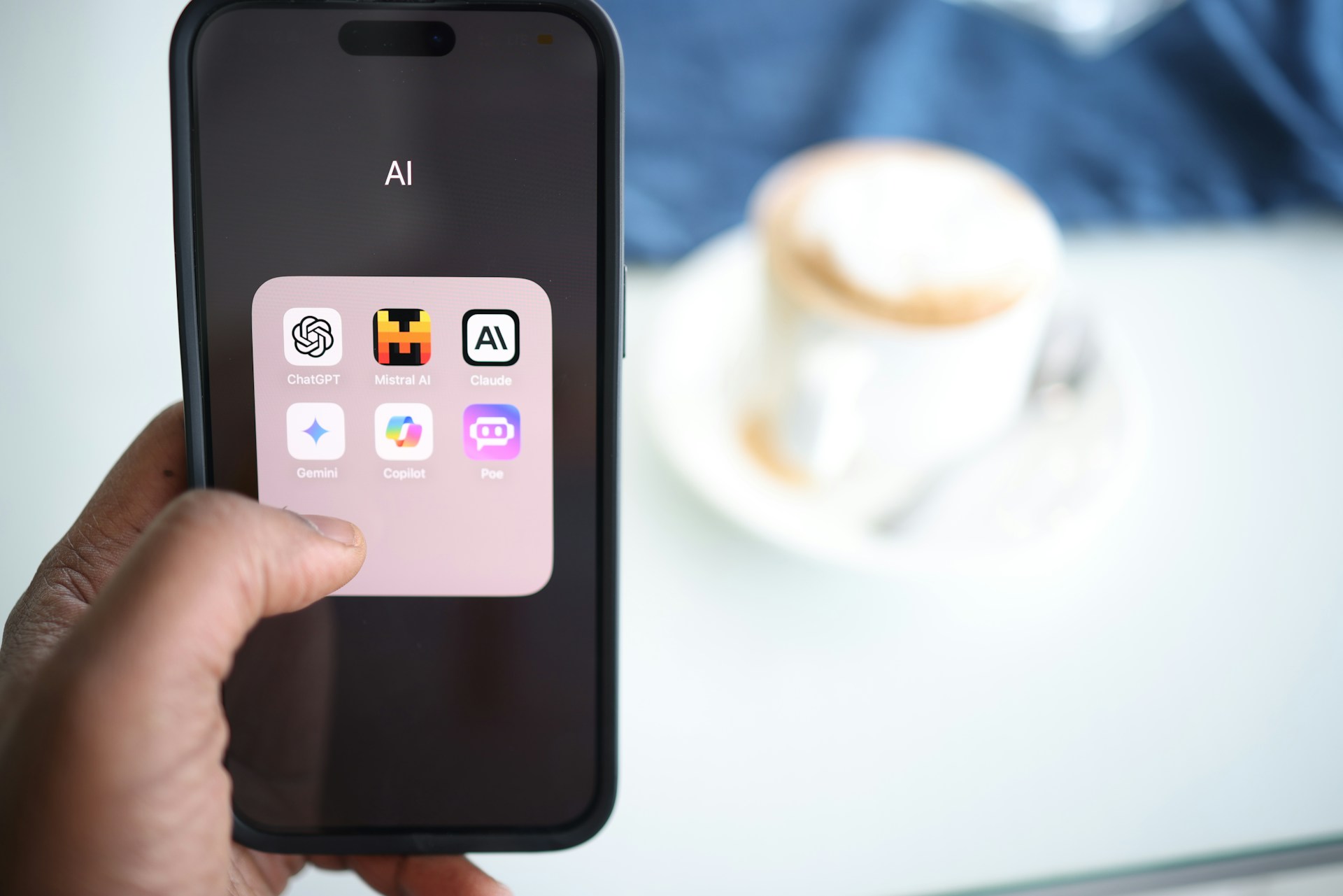
A non-technical founder can now open a browser, describe a product idea in plain English, and have a working web application deployed and shareable within a few hours. That sentence would have sounded like science fiction three years ago. Today it is a Tuesday.
Tools like Lovable, Bolt.new, Cursor, and Claude Code have collapsed the distance between idea and deployed product to a degree that changes the economics of early-stage startup validation entirely. What used to cost $50,000 and take six months can now cost under $300 and take two weeks. But there is a catch, and most articles about AI MVP development skip right past it.
This guide gives you the complete, unfiltered picture: how AI agents and vibe coding tools can accelerate your MVP, which tools work for which types of products, the specific prompts that produce usable results, what the real limitations are, when AI tools are enough on their own, and when you need a professional development partner to take the build across the finish line.

Ninety percent of startups fail. The single most common cause is building a product that nobody needs. The MVP, or Minimum Viable Product, was invented specifically to prevent that outcome by making founders test their assumptions with real users before investing a full development budget in the wrong direction.
But the term has been so stretched by overuse that it now confuses more founders than it helps. Some use "MVP" to describe a clickable Figma prototype. Others use it for a fully polished beta with 50 features. Neither is correct, and the confusion is expensive.
This guide defines exactly what an MVP is, where it came from, what it means across different contexts (business, software development, agile, and project management), what the different types of MVP look like in practice, and how to build one correctly. If you have ever wondered what MVP stands for, when to use it, or what separates a good MVP from a bad one, this is the definitive answer.

You built the MVP. You shipped it. Real users are in the product. Now what? If you're still defining what an MVP actually is or how it should be built, read our MVP vs Prototype vs PoC guide.
This is where most founders freeze. The build phase had a clear goal and a clear end state. The post-MVP phase has neither. There is no delivery date to hit, no backlog to finish, and no obvious next feature to ship. There is only data, users, and a decision you have to make with incomplete information: do you build more, pivot the direction, or shut it down?
The answer is in the metrics, but only if you know which metrics matter. This guide walks through the full post-MVP playbook: how to read your early data, how to make the build-pivot-kill decision, what the post-MVP product stages actually mean (MMP, MLP, MDP, MAP), when scaling is safe and when it destroys you, and how to prioritize what to build next without wasting runway on the wrong things.
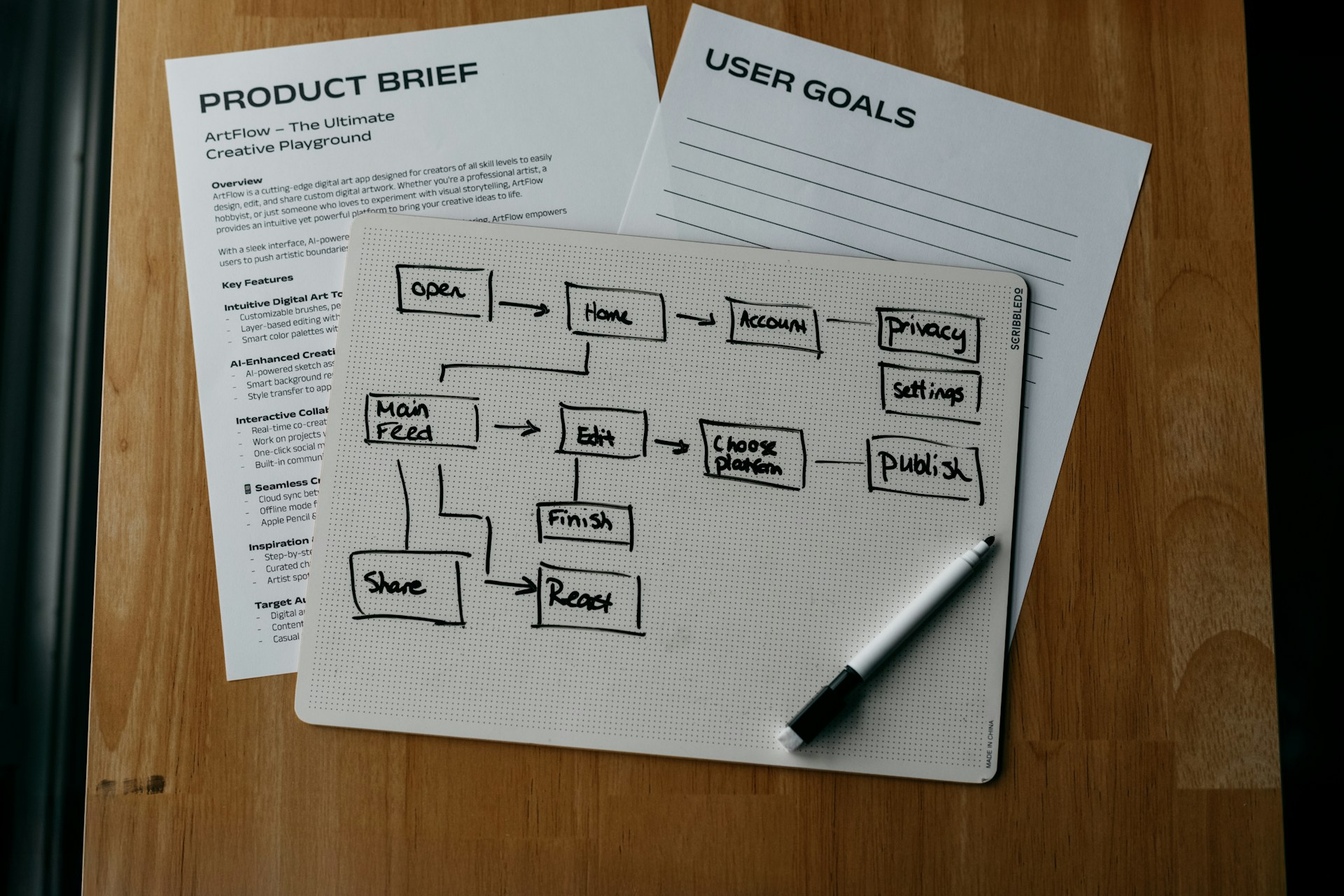
Every first-time founder eventually lands on the same trifecta of confusing jargon: proof of concept, prototype, and MVP. Investors ask for one. Developers quote you for another. Blog posts use all three interchangeably, and that creates expensive mistakes.
Skip the PoC when you have genuine technical risk and you end up rebuilding from scratch. Spend $40,000 on a polished prototype when what you needed was a five-line proof of concept and you have burned runway on slides, not signal. Build an MVP before you understand what users actually want and you join the 42% of startups that fail because they built something nobody needed.
This guide draws a sharp, clear line between all three. You will know exactly which stage applies to your situation, what each one costs, how long it takes, and what evidence it produces, so you make one informed decision instead of three expensive ones.

The best SaaS app ideas in 2026 are not new categories, they are underserved niches within existing categories. An AI meeting notes tool for construction site foremen is more buildable, more defensible, and more profitable than another generic AI writing assistant. Every idea in this article passes four tests: there is a specific person who has this problem, they are already paying for a worse solution, the core product can be built in 8 weeks, and the niche is narrow enough to own.

A SaaS MVP is the smallest version of your software product that proves one core value proposition with real paying users. The realistic cost is $25,000–$80,000 for a custom build or under $500/month for a no-code version. Timeline: 4–12 weeks depending on complexity and approach. The biggest mistake founders make is building features before confirming that anyone will pay for the core one. Buffer validated with a two-page website before writing a single line of code. Dropbox's MVP was a three-minute video. Slack was a side project at a failing gaming company. The pattern is clear: validate first, build second.

A marketplace MVP needs five core features: user profiles, listings, search, payments, and reviews. The realistic cost for a custom build is $40,000–$90,000 over 8–12 weeks. No-code platforms like Sharetribe can get you live in under 4 weeks for under $500/month. The decision between approaches depends on your niche, your transaction volume target, and whether you need custom matching logic. Either way, the biggest mistake founders make is building features before solving the chicken-and-egg problem, getting supply and demand on the platform at the same time.

💡 The Short Answer To install a PWA on iPhone, open it in Safari, tap the Share button, then tap 'Add to Home Screen.' On Android with Chrome, tap the three-dot menu and select 'Add to Home Screen' or 'Install App.' On desktop Chrome or Edge, click the install icon in the address bar. Each platform takes under 30 seconds. No app store required. |
Progressive Web Apps aren’t just a concept, they’re already driving real results for some of the world’s biggest companies. From higher conversions to faster load times and massive user growth, PWAs have proven their impact across industries. In this guide, we break down real PWA examples and what you can actually learn from them.

A progressive web app works by combining three browser technologies, a service worker, a web app manifest, and HTTPS, to make a website behave like a native app. The service worker handles background tasks and offline caching. The manifest tells the device how to display the app on the home screen. HTTPS keeps every interaction secure. No app store required.

Choosing between a Progressive Web App (PWA) and a native app isn’t just a technical decision — it’s a business decision that directly impacts your growth, budget, and speed to market. Most founders approach this as a feature comparison, but the real question is how you plan to acquire users and scale efficiently. In this guide, we break down the PWA vs native decision into clear, actionable insights so you can choose the right path based on your product, not guesswork.
If you're still exploring the fundamentals, start with our guide on what a Progressive Web App (PWA) is and why it matters in 2026.
Most articles about Progressive Web Apps (PWAs) repeat the same list: faster load times, offline support, push notifications.
All true.
But none of that answers the only question that matters:
Do PWAs actually improve business outcomes?
This guide is built differently.
Instead of listing features, we analyze real-world results from companies like Pinterest, AliExpress, and Forbes, showing exactly how PWAs impact:
Conversion rates
User engagement
Development costs
SEO visibility
If you're evaluating whether a PWA is worth building, this is not a theory piece.
It’s a data-backed decision framework.

The cost of a progressive web app (PWA) can range from $8,000 to $150,000+, but that number alone is misleading. What actually determines your PWA cost isn’t just features, it’s the product scope, performance requirements, integrations, and the team you hire.
If you're building a real business product (not a prototype), most PWAs fall between $25,000 and $65,000, especially when you include authentication, responsive design, offline support, and backend integrations.
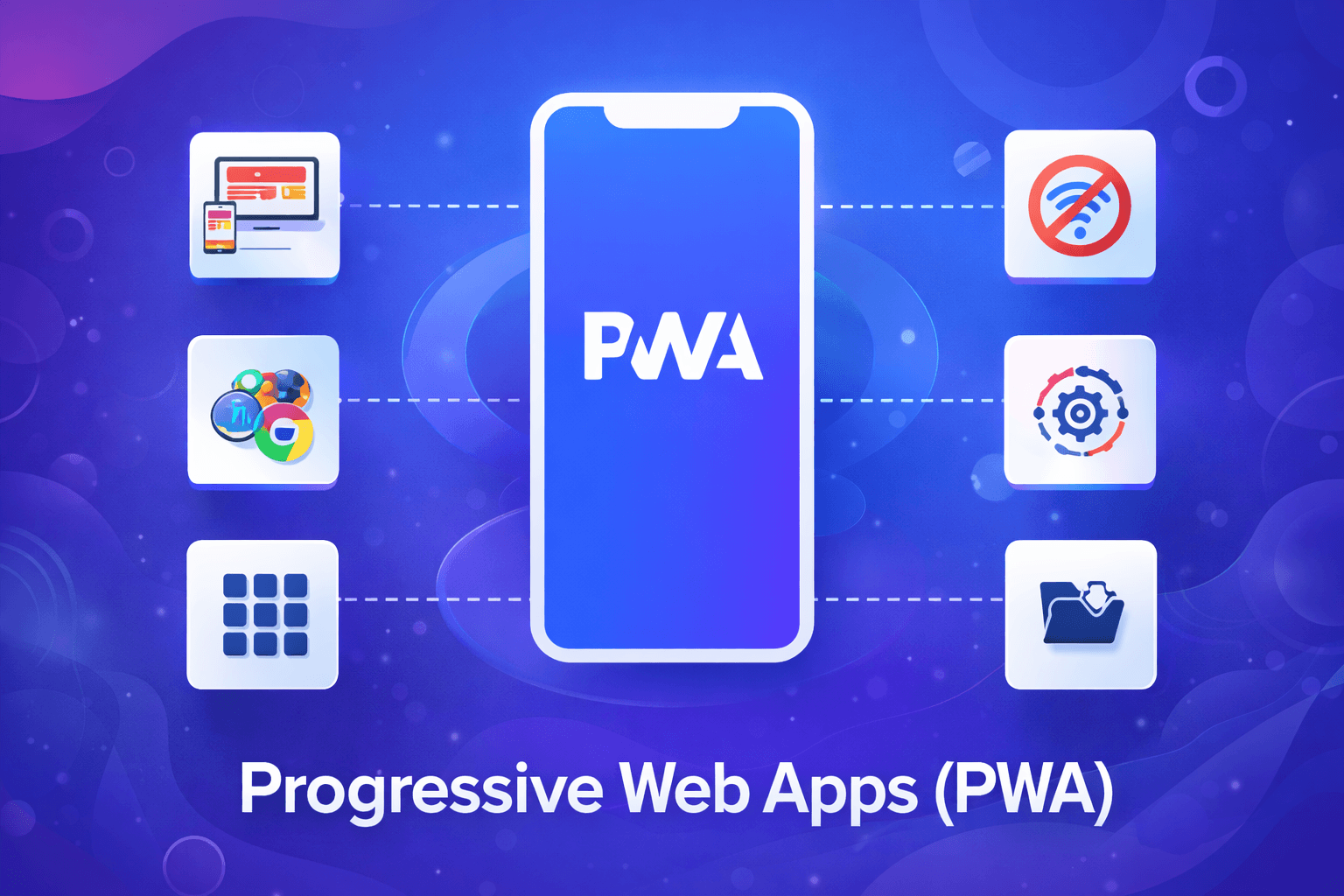
If you've heard the phrase 'progressive web app' in a meeting and nodded along without being entirely sure what it means, you're in good company. If you're just starting to explore the concept, you can also check real-world implementations in our guide on progressive web app examples.
You ask it first when you're planning: 'Should I build a website or a web app?' You ask it again six months later when your 'simple website' needs login, user dashboards, and real-time data, and your developer quotes you $40,000 to retrofit it.
Getting this distinction right early saves real money. Getting it wrong is one of the most common and costly architectural mistakes early-stage startups make. This guide will give you a clear definition of each, a framework for choosing, and a realistic picture of what either path costs and looks like in production.
81% of digital product companies end up running both a website and a web app Nielsen Norman Group research on digital product architecture patterns |
That 81% figure tells an important story: the website vs web app question is almost never binary. Stripe has stripe.com (website) and dashboard.stripe.com (web app). Notion has notion.so (marketing site) and your actual Notion workspace (web app). Understanding the difference helps you sequence, not just choose.
💡 The Short Answer A website presents content. A web app processes actions. Most modern businesses need both — and the smartest ones use the same codebase to power both without building twice. |

The honest answer is somewhere between $15,000 and $150,000, and that range is not a cop-out. The spread reflects something real: an MVP that validates one core assumption for a SaaS tool is a fundamentally different project from an MVP that supports multiple user roles, payment processing, and cross-platform compatibility. Same label, very different scope.
For most startups we work with, the number lands between $25,000 and $75,000. That's the zone where you get a real, working product that actual users can interact with, without paying for features that belong in version two.
This guide breaks down what drives MVP costs, what those costs look like by product type, what founders most commonly overspend on, and how to think about the full 12-month budget rather than just the build cost. It ends with something most agency articles skip: a framework to determine whether you actually need an MVP right now, or whether there's a cheaper way to validate what you're trying to prove.

Building a fintech app in 2026 costs anywhere from $40,000 for a lean MVP to $1.5 million+ for a full-featured, enterprise-grade platform.
That range is wide for a reason. "Fintech app" is a category as broad as "vehicle." A budget tracker is not a neobank. A crypto wallet is not a lending platform. The cost depends on your regulatory scope, your infrastructure choices, and how much you're building from scratch versus buying off the shelf.
This guide is for founders, product managers, and CTOs who want actual numbers, not vague marketing ranges designed to funnel you into a sales call. We cover every cost driver, every phase, every category of fintech app, and the hidden costs that blow up budgets.