If you've heard the phrase 'progressive web app' in a meeting and nodded along without being entirely sure what it means, you're in good company. If you're just starting to explore the concept, you can also check real-world implementations in our guide on progressive web app examples.
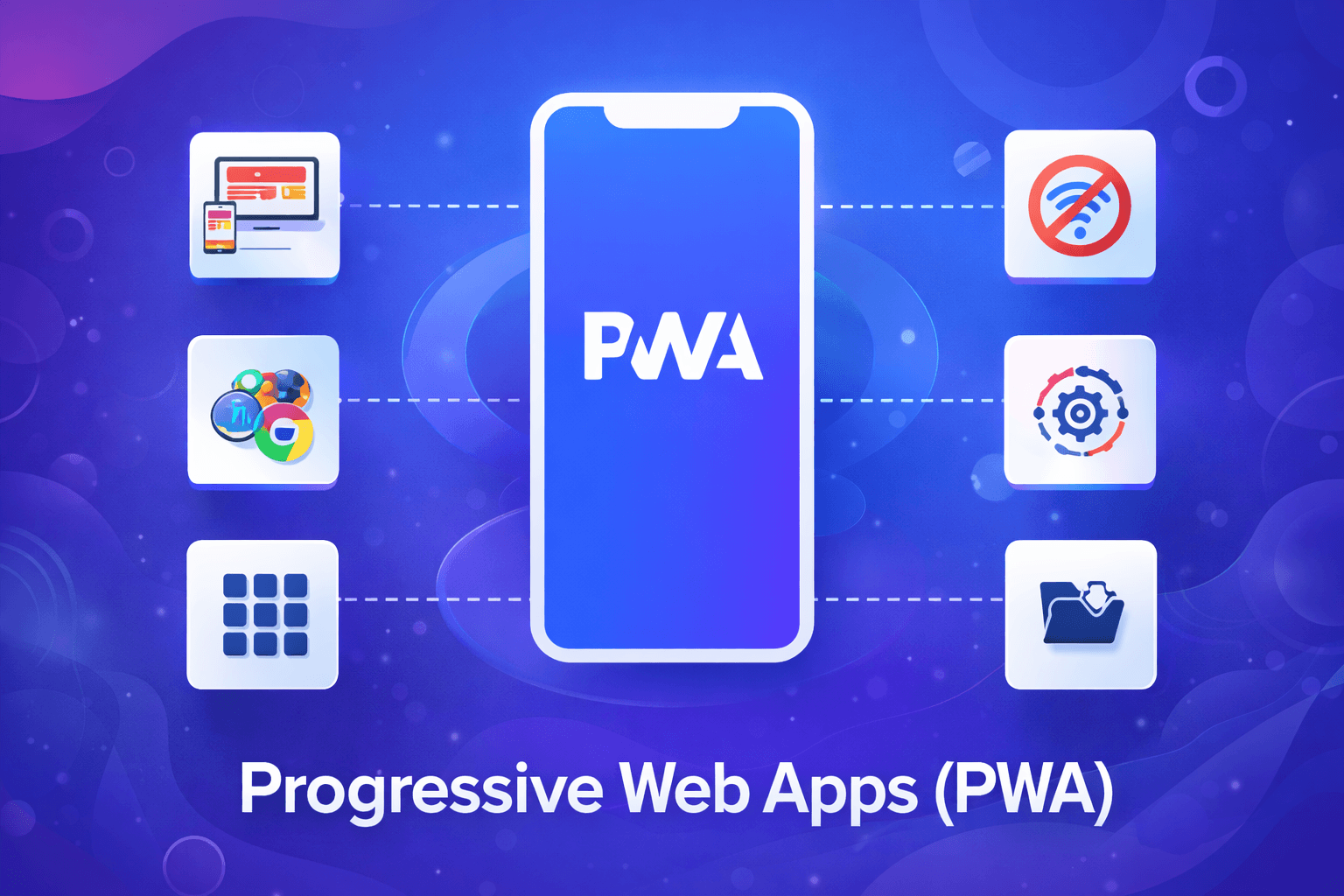
A progressive web app is a website built to behave like a mobile app. It loads fast, works offline, can send push notifications, and sits on a user's home screen. The difference is that users get there through a browser, not the App Store.
That distinction matters more than it might seem. Mobile devices now account for roughly 60% of all global web traffic. Most of those users open a browser, not an app store, when they want to accomplish something quickly. If your product doesn't load or respond in that moment, you lose them.
Twitter, Starbucks, Pinterest, Flipkart, and Trivago all rebuilt around PWA architecture. Their results weren't incremental improvements, they were step changes in engagement, retention, and revenue. This guide covers what a PWA is, how it works, what it genuinely can't do (especially on Apple devices), and whether building one is the right call for your business in 2026.
The Short Answer: A Website That Works Like an App
The simplest way to understand a progressive web app is to stop thinking of it as a software category and start thinking of it as a set of capabilities layered on top of a standard website.
A regular website shows you information. A PWA shows you information and does things your phone's native apps do: it caches content so pages load instantly on the second visit, it notifies you about events you care about, it works when your signal drops, and it sits on your home screen with its own icon. From a user's perspective it feels like an app. From a developer's perspective, it's built with the same web technologies they already know, HTML, CSS, JavaScript.
The global PWA market reached an estimated $3.14 billion in 2026 and is projected to grow to $21.44 billion by 2033, driven by a compound annual growth rate of roughly 18.98%. That growth isn't speculation. It reflects a genuine shift in how businesses build and distribute software: lower costs, faster timelines, and broader reach from a single codebase.
$3.14B Global PWA market size in 2026 Projected to reach $21.44B by 2033 at 18.98% CAGR |
For business owners, the practical question is whether those properties translate into the specific outcomes they're chasing, conversions, engagement, retention. The answer is usually yes, but it depends on your product type and user base, which is why this guide ends with a decision framework rather than a blanket recommendation.
If you're curious about the technical layer behind this behavior, we break it down step by step in how progressive web apps work.
What Makes a PWA Different: The 3 Core Technologies (Explained Simply)
PWAs aren't a single technology. They're a combination of three web standards working together. You don't need to understand the engineering details to make a smart business decision, but knowing what each one does helps you understand where the limitations come from.
Service Workers
A service worker is a small script that runs in the background of your browser, separate from the main page. Think of it as a local assistant that intercepts network requests and decides whether to fetch the latest version from the server or serve a cached copy immediately.
This is what makes PWAs fast on slow connections and functional when there's no connection at all. When a Starbucks customer loads the menu in a store with patchy Wi-Fi, the service worker pulls a cached version in milliseconds rather than waiting on a server response. It's also what enables background sync, queuing actions taken offline and executing them once the connection is restored.
The Web App Manifest
The manifest is a JSON configuration file that tells the browser how to present your app when it's installed on a device. It defines the icon that appears on the home screen, the name displayed beneath it, the splash screen colours, and whether the app should open full-screen, removing the browser address bar so it feels like native software.
Without a manifest, a user can save a website to their home screen, but it opens in a browser tab. With a manifest, it opens as a standalone application. That's the difference between a shortcut and a genuinely installed product.
HTTPS
Service workers only run over secure connections. Building a PWA requires your site to operate on HTTPS, which is also a Google ranking signal and a baseline trust requirement for any modern web product. If your site still runs on HTTP, a PWA migration includes a security upgrade, which is worth doing regardless.
💡 The technical floor is lower than you think Adding service worker support and a web app manifest to an existing website can take a competent development team a few days. Converting a full site into a production-grade PWA with offline modes, background sync, and push notifications is a larger scope, but the underlying standards are well-established and widely supported. |
Real-World Progressive Web App Examples (With Results)
The business case for PWAs doesn't rest on theoretical benefits. These are companies that made the switch and published their numbers.
Company | Industry | Key Result | Details |
Starbucks | Retail / Food | +2x daily active users | Desktop orders nearly matched mobile after PWA launch; works fully offline for menu browsing |
Twitter Lite | Social / Media | +65% pages/session | +75% tweets sent, −20% bounce rate, 70% data usage reduction vs the native app |
Flipkart Lite | E-commerce | +70% conversions | +40% re-engagement from home screen; re-engaged users who had abandoned the native app |
AliExpress | Marketplace | +132% conversions | Specifically for new users across browsers; PWA outperformed the native app for acquisition |
Social / Discovery | +60% engagement | −44% data usage, +40% time spent per session vs previous mobile web experience | |
Trivago | Travel | +150% engagement | Users who installed the PWA to home screen engaged 150% more than standard mobile web visitors |
Lancôme | Beauty / Retail | Lighthouse 94/100 | +51% session duration, −10% bounce rate; 8% of users who received push notifications made a purchase |
Alibaba.com | B2B Marketplace | +76% conversions | Seamless cross-browser mobile experience drove a 76% uplift in total conversions |
What's striking about this data is the consistency across very different industries and user bases. Whether the product is a coffee menu, a social feed, a fashion brand, or a B2B marketplace, the underlying mechanism works the same way: faster loads and offline capability remove friction at the moments users are most likely to abandon.
One detail worth noting: the Flipkart and Twitter results aren't just about acquisition. Both companies specifically re-engaged users who had stopped using the native app. A PWA reached people who'd already decided to leave.
Want a deeper breakdown of these case studies and what you can learn from them? See our full analysis of progressive web app examples and results.
7 Business Benefits of Progressive Web Apps
The case for PWAs is usually made in terms of features, offline support, push notifications, installability. Those are accurate, but they're not how most business owners actually decide to invest in something. Here's the same list reframed around outcomes.
Lower development cost compared to native apps. Building separate iOS and Android applications means two codebases, two sets of platform-specific developers, and two submission and review processes. A PWA uses one codebase that runs everywhere. Most teams report cost savings of 40 to 60 percent relative to building a native app with equivalent functionality.
We’ve analyzed these outcomes in detail with real company data in our progressive web app benefits guide.
No app store gatekeeping. Apple and Google each take a 30% commission on in-app purchases, and they can reject or remove your app without appeal. A PWA bypasses that layer entirely. Users access it through a URL, install it without visiting a store, and you maintain full control of distribution.
Instant updates, no user action required. When you push a fix or new feature, it goes live immediately. There's no waiting for users to approve an update. In a native app, a significant portion of your user base is often running a version you released six months ago.
Home screen installation that drives retention. Users who add a PWA to their home screen engage with it more than standard mobile web visitors, Trivago's 150% engagement increase is the most dramatic example, but the pattern holds across the case studies above. The install moment creates a reference point that brings users back.
Push notifications without an app. Re-engaging users who've left is expensive. Email open rates have been declining for years. Push notifications sent via PWA reach users on their lock screen with the same immediacy as native app notifications, without requiring an App Store presence, and Lancôme's data shows a direct line between those notifications and purchases.
Improved Core Web Vitals, which feeds directly into SEO. We cover this in detail in its own section below, but the short version is: PWA architecture forces performance practices that improve the metrics Google uses to rank pages. It's a connection most businesses haven't made.
Broader reach from day one. A PWA is accessible to anyone with a modern browser, iOS, Android, Windows, macOS, desktop, tablet. You're not segmenting your potential users by which app store they use or whether they're willing to download something.
PWA vs Native App vs Website: A Side-by-Side Comparison
The right format for your product depends on what your users need to do and what you need the product to accomplish. This table is a starting point, not a final verdict, but it maps the key variables cleanly.
Website | Progressive Web App | Native App | |
Development cost | $10K–$80K | $15K–$75K | $50K–$200K+ |
Platforms covered | All (via browser) | All (via browser) | One per codebase (iOS or Android) |
Offline capability | No | Yes (service worker cache) | Full (device storage) |
Push notifications | No | Yes (iOS: requires home screen install) | Yes (full) |
App store presence | No | Not required (optional with PWABuilder) | Yes, required |
SEO discoverability | Excellent | Excellent | Minimal (app stores only) |
Hardware access (camera, BT, NFC) | Limited | Moderate (growing annually) | Full |
Update mechanism | Instant (server push) | Instant (service worker) | User-approved in app store |
Best for | Content, lead gen, SEO | SaaS tools, e-commerce, media, re-engagement | Hardware-heavy, App Store discovery, gaming |
If you're deciding between approaches, our full PWA vs native app decision guide walks through real trade-offs for startups and SaaS teams.
⚠️ The iOS situation, what competitors don't tell you Apple added Web Push support for home-screen PWAs in iOS 16.4 (March 2023), which was a meaningful step forward. But as of 2026, iOS PWAs still cannot access Bluetooth, NFC, or certain camera APIs. Push notifications only work for PWAs installed to the home screen via Safari, Chrome and other iOS browsers cannot trigger the install prompt due to App Store restrictions. If your target audience is predominantly iPhone users and your product relies on hardware integrations, you'll need a native layer. For most other products, the limitation is manageable. |
The SEO Advantage of PWAs: Why Faster Apps Rank Higher
Most articles about PWAs list SEO as one of several benefits without explaining the mechanism. The connection is more direct than most people realise, and it's one of the strongest arguments for PWA architecture if organic search is part of your growth strategy.
Google uses Core Web Vitals, specifically Largest Contentful Paint (LCP), Interaction to Next Paint (INP), and Cumulative Layout Shift (CLS), as ranking signals. These metrics measure how fast a page loads for real users, how responsive it is to input, and how much the layout shifts during loading. Pages that score well get a ranking advantage over slower competitors with equivalent content.
PWA architecture forces performance best practices. Service worker caching means returning visitors get near-instant load times. The app shell model separates content from the UI chrome, so the interface appears immediately even before the dynamic content is fetched. Lazy loading and efficient resource bundling come as part of the development discipline. The result is that PWAs routinely score in the 90s on Google's Lighthouse performance audit.
1 second The delay that costs you 7% of conversions Akamai research on page load time and revenue, directly addressed by PWA caching architecture |
Lancôme's PWA reached a Lighthouse score of 94 out of 100. That's not a vanity metric. A score that high means LCP under 2.5 seconds, layout stability close to zero, and input latency in the acceptable range. Each of those factors feeds directly into Google's ranking algorithm.
There's also a second-order SEO benefit that's less discussed: PWAs are fully crawlable. Unlike native apps, which are invisible to search engines, a PWA's content lives at standard URLs. Google can index every product page, every article, every feature, the same way it indexes any website. You get app-like behaviour for users without sacrificing the search discoverability that makes websites so powerful for organic growth.
For businesses where content marketing and SEO are primary growth channels, this is arguably the most compelling reason to choose PWA over native. You get one product that serves both your marketing goals and your product experience goals.
📊 LLMs and AI search engines also favour PWA-built content Pages with comprehensive structured data are cited up to 40% more frequently in LLM responses compared to pages without it. PWAs built with proper schema markup, fast load times, and well-structured content are well-positioned for both traditional search and AI-generated responses, an increasingly important channel as AI-referred sessions grew 527% year-over-year in the first half of 2025. |
How Much Does It Cost to Build a Progressive Web App in 2026?
The cost depends on where you're starting from and what you need the PWA to do. Three scenarios account for most of the builds we see:
Scenario | Cost Range | Timeline | What's included |
Converting an existing website to a PWA | $5K – $15K | 2 – 4 weeks | Service worker, manifest, HTTPS setup, basic offline mode, install prompt |
New PWA (content / marketing site) | $15K – $30K | 4 – 8 weeks | Full design, development, offline support, push notifications, Core Web Vitals optimisation |
SaaS or e-commerce PWA (full product) | $30K – $75K | 8 – 12 weeks | User auth, data sync, background jobs, push, complex UI, multi-device testing, performance hardening |
If you're evaluating budget vs ROI, our full breakdown on how much a progressive web app costs goes deeper into real scenarios and pricing models.
For context: a comparable native app, built to match just the functionality of a mid-range PWA, typically costs between $50,000 and $150,000, and that's for a single platform. Cross-platform native development (iOS and Android separately) doubles that.
The savings come from the single codebase, the reuse of existing web development skills, and the absence of app store submission fees and review delays. On a $60,000 PWA budget, you're getting a product that reaches every device, updates instantly, and doesn't pay a 30% commission on in-app purchases.
At Adeocode, our standard SaaS PWA sprint runs eight weeks. That includes design, development, QA, and launch, not just the code. We've found that the design phase is where most agencies lose time and money, so we front-load it rather than treating it as a line item at the end.
Is a PWA Right for Your Business? A 5-Question Framework
Every article about PWAs tells you what they are. Very few help you decide whether you should actually build one. Here's how we frame that conversation in our scoping calls.
Answer these five questions honestly. If you get to the end uncertain, that uncertainty is worth a conversation, not a commitment.
Question 1: Do your users primarily access your product on mobile?
If more than 60% of your traffic or target audience is on mobile devices, PWA is a strong fit. The performance advantages of a service worker are most pronounced on mobile networks, and the home screen installation experience is most natural on a phone. If your product is used almost entirely on desktop, a well-built web app may serve you better without the overhead of PWA features your users won't encounter.
Question 2: Is offline access or unreliable connectivity a real scenario for your users?
Retail floor staff, field workers, delivery personnel, travellers in transit, anyone whose connection is intermittent benefits substantially from offline capability. If your users are reliably on fast Wi-Fi or ethernet when they use your product, offline support adds complexity without adding value.
Question 3: Is your target audience predominantly on Android?
Android gives PWAs full feature support: push notifications, background sync, Bluetooth access, and the install prompt. On iOS, you get most of these since iOS 16.4, but with meaningful exceptions (see the iOS section above). If 80% or more of your users are on iPhone and your product depends on hardware features, discuss this with your development team before committing.
Question 4: Is app store discoverability important to your growth model?
If you're planning to rely on organic discovery in the App Store or Google Play, browsing app categories, appearing in editorial features, a native app gives you that channel. PWAs don't have it. If your growth comes from search, word of mouth, or paid acquisition, this isn't a consideration.
Question 5: Does your product require deep hardware integration?
Augmented reality, Bluetooth device pairing, NFC payments, and advanced camera controls (beyond basic photo capture) still require native APIs on most devices. PWA hardware access is improving year by year, the gap narrows with every browser update, but if those capabilities are core to your product today, be honest about the tradeoff.
✅ Industries where PWAs consistently deliver strong returns E-commerce and retail (offline browsing, push for cart recovery) / SaaS tools used in variable-connectivity environments / Content and media (offline reading, re-engagement notifications) / Travel and hospitality (bookings accessible offline) / Financial services (trust through performance and security). If your product falls into one of these categories and you're not yet on PWA architecture, the question isn't whether to build one, it's when. |
Ready to Build a PWA? Let’s Talk.
We're a US-based custom software development company. We design and build progressive web apps, web applications, and SaaS products in eight-week sprints. Design is a first-class part of every engagement, not something we add at the end after the code is done.
If you're weighing a PWA against a native app, or trying to figure out whether a conversion of your existing site makes sense, we offer a free 30-minute scoping call. No pitch, no slide deck, just a direct conversation about what you're building and the most efficient path to get there.
What is the difference between a PWA and a regular website?
Can a PWA replace a native mobile app?
Is a PWA good for SEO?
What are the best examples of progressive web apps?
How long does it take to build a PWA?
How much does a PWA cost?

A dedicated development team is a group of engineers, QA testers, designers, and a project manager assembled specifically for your product and working on it full-time, under your strategic direction, through a vendor who handles HR, payroll, and operational infrastructure. The team is not shared across client projects. The same people work on your product continuously, accumulating context and ownership that compounds in value over time.
This model is the default choice for founders and product companies that need long-term, evolving product development without the cost and complexity of building an international engineering team from scratch. It sits between staff augmentation (individual contractors you manage directly) and fixed-price outsourcing (a vendor who builds to specification and hands off). Understanding exactly how it works, who is on the team, what it costs, and when it fits is what this guide covers in full.

Staff augmentation adds individual external developers to your existing team under your direct management. A dedicated development team is a self-contained product unit that works exclusively on your product under its own internal leadership, managed by a vendor. The right model depends on three variables: how long the work lasts, whether you have strong in-house technical leadership with capacity to absorb more direct reports, and whether your scope is defined or evolving.
Both models are legitimate outsourcing approaches. They are not better or worse than each other; they serve different situations. The most expensive mistake in external development is applying staff augmentation to a situation that needs a dedicated team, because the management overhead that accumulates destroys the cost advantage that made staff augmentation look attractive in the first place.

An offshore dedicated development team is a group of full-time software engineers, QA testers, designers, and a project manager based in another country who work exclusively on your product through a vendor that handles HR, payroll, and infrastructure. Unlike freelancers who split time across clients or agencies that rotate developers between projects, a dedicated offshore team owns your product continuously, from the first sprint to the hundredth.
This guide covers every dimension of the model: how it works, how it compares to nearshore and onshore options, what the best offshore locations actually cost in 2026, the difference between an offshore dedicated team and an offshore development center, and the five-step process for hiring one that performs.

To hire a dedicated remote development team, define your product scope and required disciplines, choose a hiring region that balances cost and quality for your budget, vet vendors on process documentation rather than pitch decks, run a short paid discovery sprint to test team fit, then formalize the engagement with clear IP terms and delivery milestones. That five-step process is what separates companies that build great remote teams from those that repeat the same expensive hiring mistakes.
This guide covers everything you need: the model explained, how it compares to freelancers and agencies, current costs by region, a step-by-step hiring process, management practices that keep remote teams productive, and the red flags that reveal a vendor's weaknesses before you sign a contract.